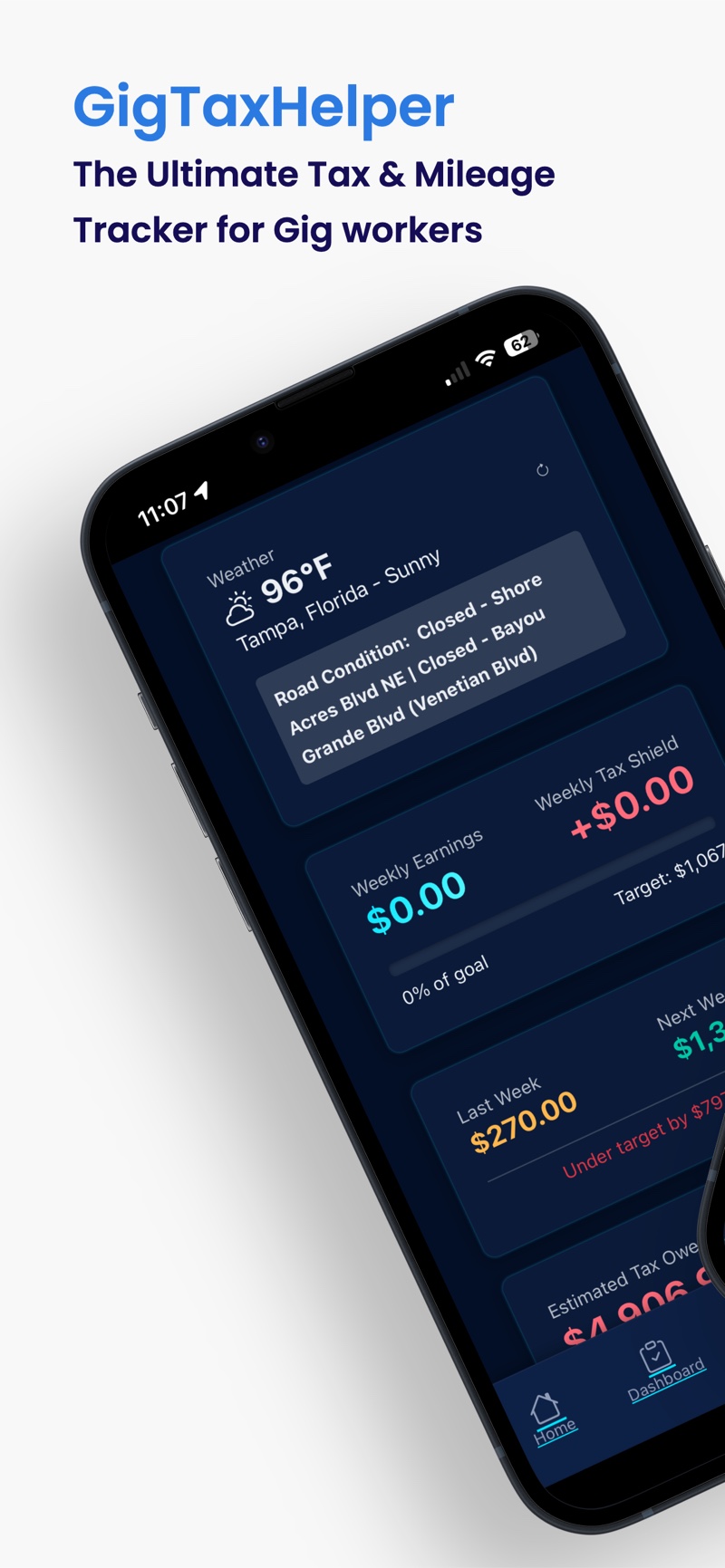
One dashboard for the week
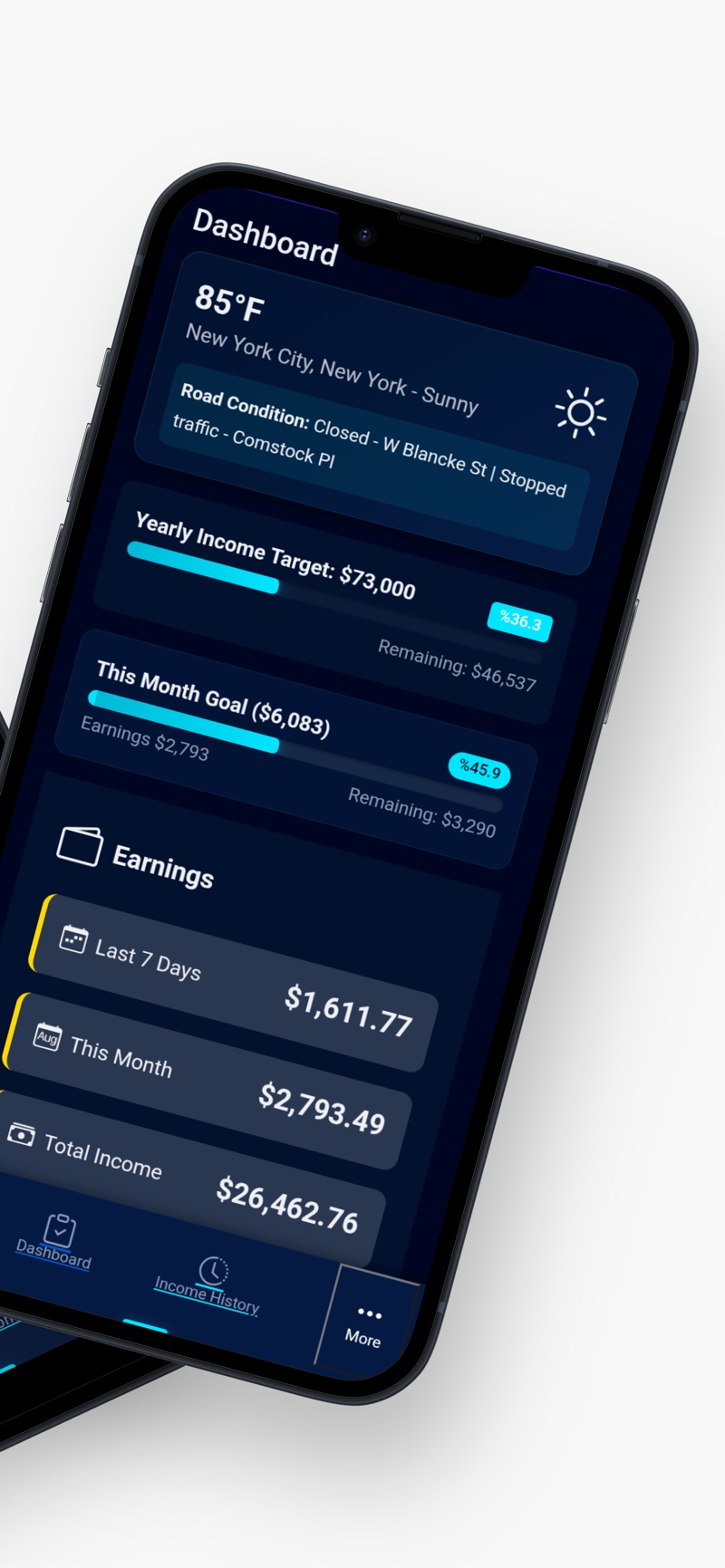
Weekly earnings, progress against your goal, last week's total and next week's target — visible the moment you open the app.
Rideshare drivers · Delivery couriers · Independent contractors
GigTaxHelper is a simple, private app for people who work gigs. Log what you earn on every platform, track your business miles and see your estimated taxes and real net income — all on your own device. No account, no spreadsheets, no end-of-year panic.
What it does
Gig work means income from several apps, a lot of miles, and a tax bill nobody withheld for you. GigTaxHelper keeps all of that in one place, in plain numbers you can understand at a glance.
It is an income and mileage tracker built specifically for gig work — not a general budgeting app with gig features bolted on. Every screen answers one of the questions gig workers actually ask: How much did I make this week? Am I on track for my goal? How much should I set aside for taxes? How many business miles have I driven, and what are they worth?
You enter what you earn when your shift ends, and the app does the arithmetic. It keeps a running total for the week, the month and the year, estimates the self-employment tax on that income, and subtracts your fuel and toll costs so you can see what you really took home.
When tax season arrives, you export a clean PDF or Excel report instead of scrolling through your bank app looking for deposits. Nothing is sent to a server and there is no account to create — your records stay on your device.
Rideshare drivers, delivery couriers and independent contractors — anyone with 1099 income.
Scattered earnings, forgotten mileage and a surprise tax bill — replaced by one clear picture.
Tax-ready records, an estimated tax figure you can budget for, and proof of every business mile.
Yes. No sign-up and no login — your income and mileage records live on your own device.
Features
Built around the daily routine of gig work: end your shift, log the numbers, get on with your day.
Weekly earnings, progress against your goal, last week's total and next week's target — visible the moment you open the app.
Every week the app suggests how much to set aside for taxes, so the money is already there when the bill arrives.
Set a yearly income target and GigTaxHelper breaks it into a monthly and weekly goal, with a live percentage and the amount left to go.
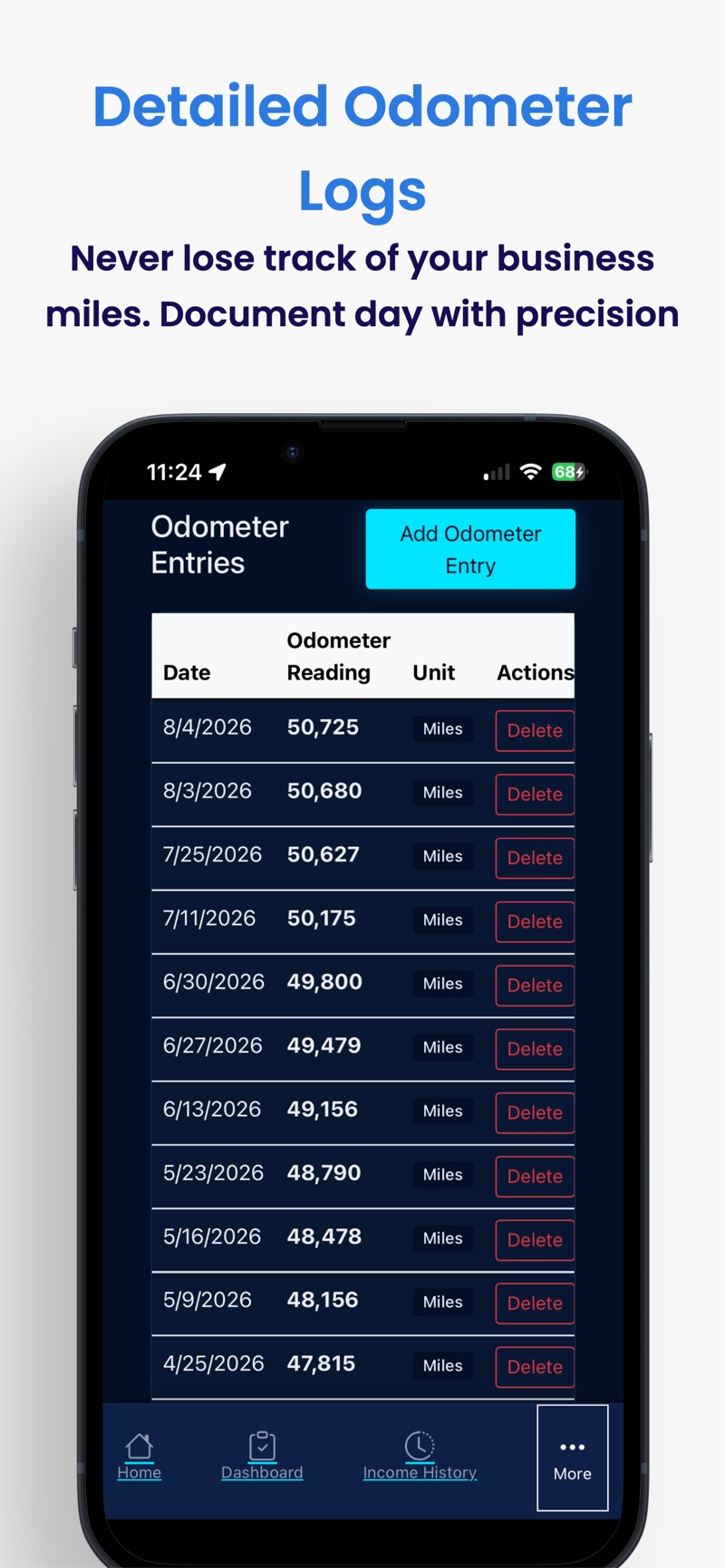
Record your odometer reading and the app works out the business miles. Every entry is dated, so you always have a defensible mileage record.
Point your camera at the dashboard and the app reads the number for you. No typing at the end of a long shift.
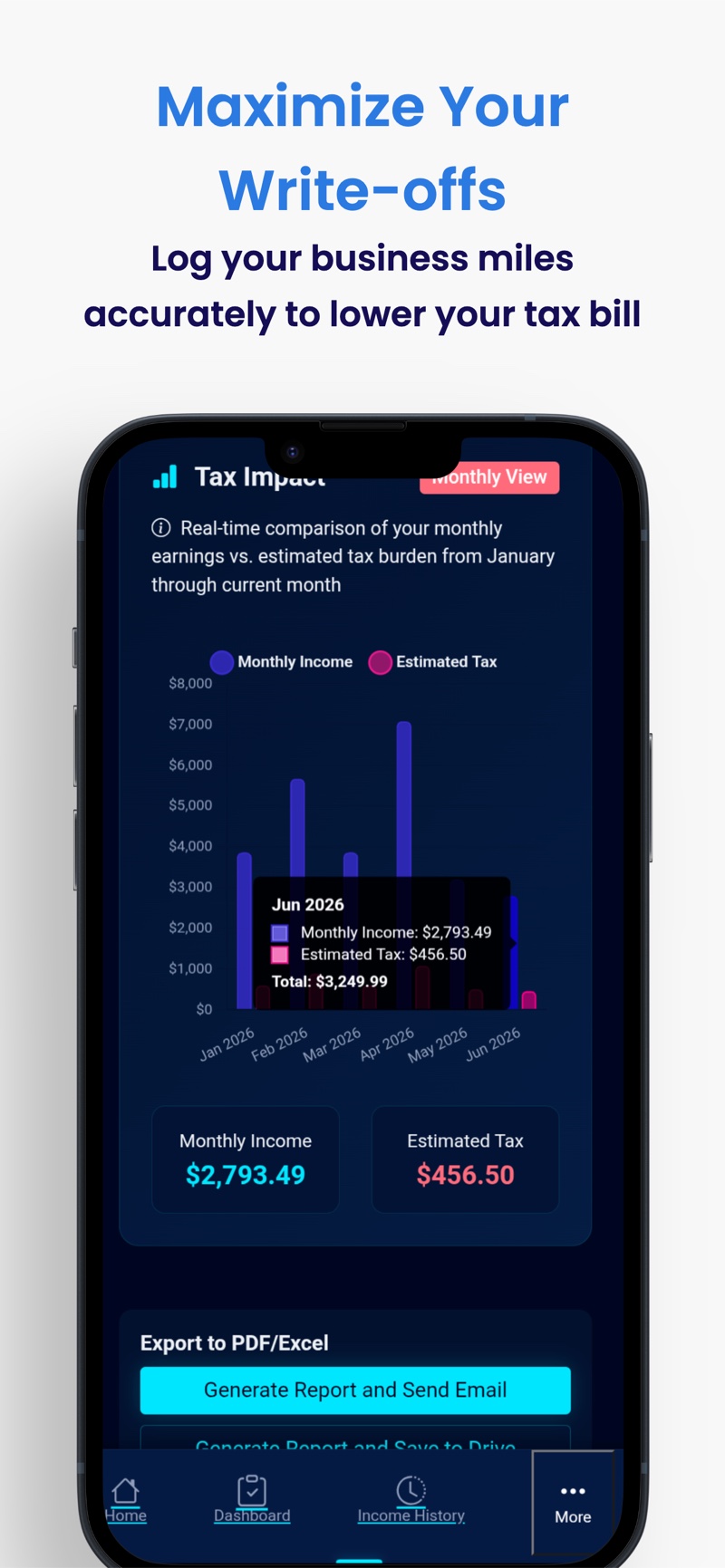
See estimated tax owed year-to-date and how much your mileage has saved you — recalculated with every entry you add.
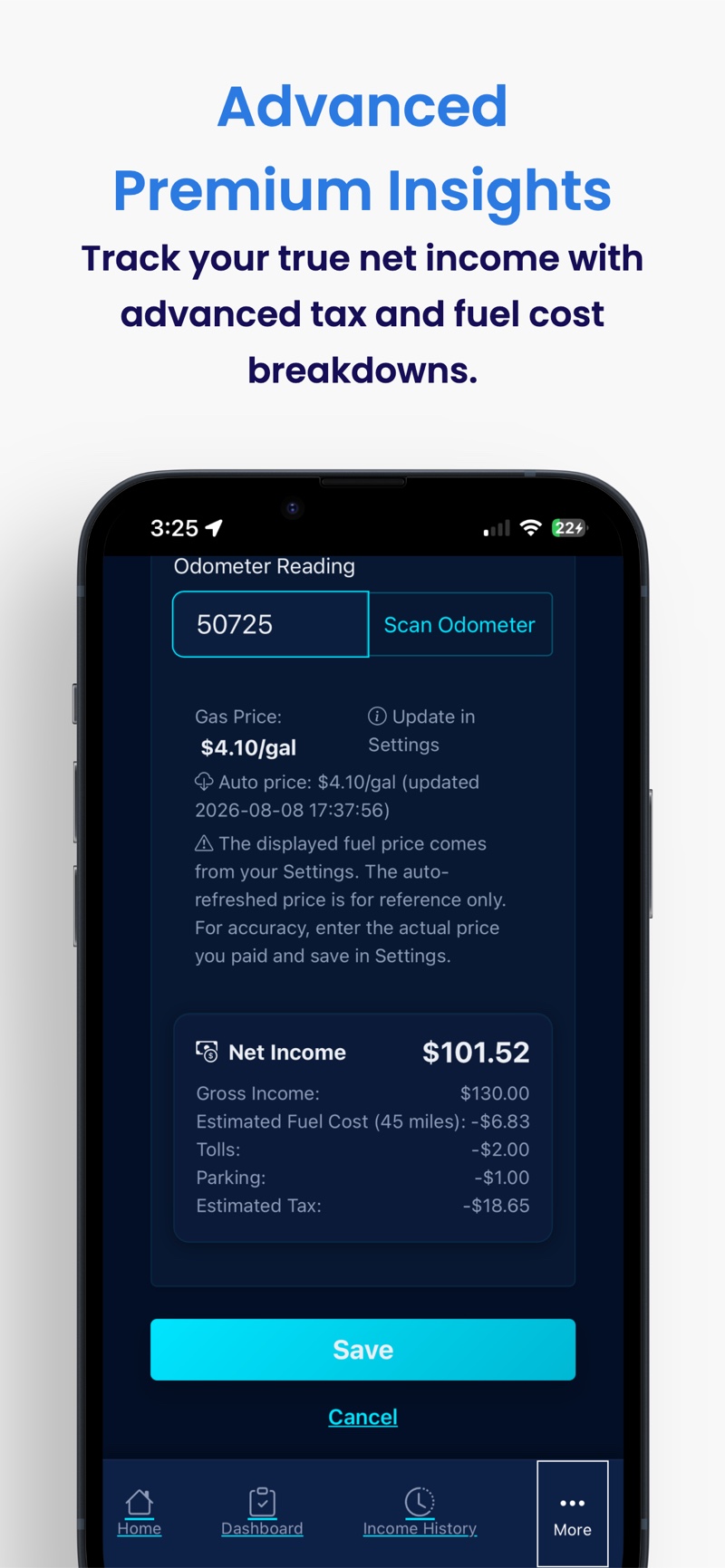
Subtract what the car actually costs you. The fuel price is picked up automatically and you can add parking and tolls per trip.
Generate an earnings report for any period and email it to yourself or your accountant in one tap.
Ask plain-language questions about your numbers and get answers without hunting through settings or formulas.
A gentle nudge at a time you choose, so you log the day's earnings and mileage while you still remember them.
Export a backup of your records and restore it on a new phone — your history moves with you.
Works with your local currency and tax settings, so the numbers mean what they should wherever you drive.
How it works
GigTaxHelper is designed so that staying organised takes about a minute a day.
At any point you can generate a PDF or Excel report covering the period you choose and email it to your accountant. No more reconstructing the year from bank statements.
Your numbers, in plain sight
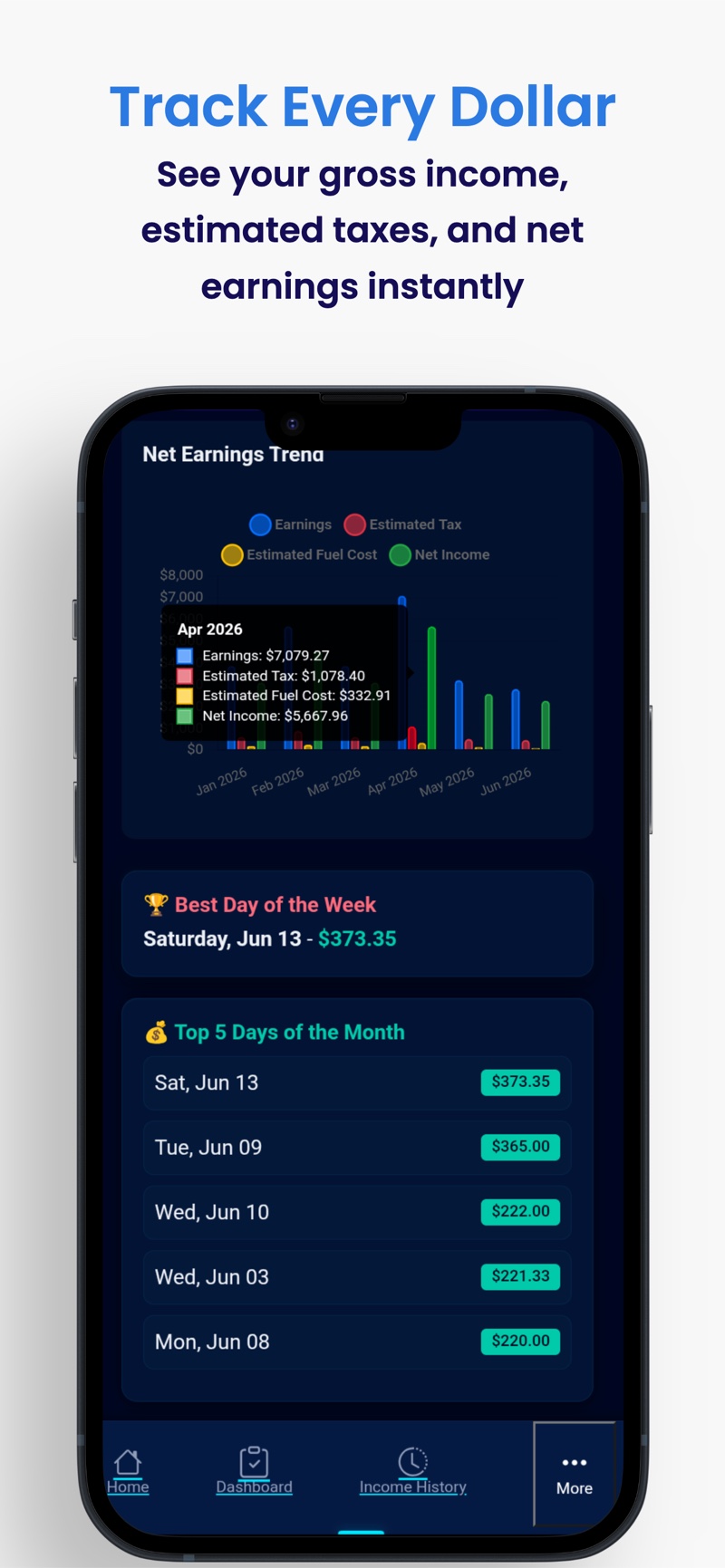
Gross income can look great and still leave you short at tax time. GigTaxHelper shows the whole picture — including what your miles are worth.
Estimated from the income you have logged, so there is no surprise in April.
Every business mile you record is working for you at tax time.
Gross income minus estimated fuel cost and tolls — what the trip really paid.
Figures are examples from the app to illustrate the screens. Your own numbers come from what you enter.
Screenshots
FAQ
It is an income and mileage tracker built for gig work. You log what you earn on each platform, record the miles you drive and add fuel and toll costs. The app then shows your gross income, estimated self-employment tax and your real net income, and lets you export tax-ready PDF or Excel reports.
Rideshare drivers, delivery couriers and independent contractors — anyone who earns 1099 income and needs records for tax season. If you drive for Uber or Lyft, deliver for DoorDash, Uber Eats, Instacart or Grubhub, or work as a freelancer, GigTaxHelper keeps your numbers in one place.
No. There is no sign-up, no login and no password. You install the app and start tracking immediately. Your records live on your own device.
Yes. Your income, mileage and expense records are stored locally on your device. The app does not require an account and does not sell your data. See our privacy policy for full details.
No — it is a tracking and estimating tool, not a tax filing service. It gives you organised records and estimated tax figures so filing with your accountant or your preferred tax software is much faster and less stressful.
Point your camera at your vehicle's odometer and the app reads the number for you, so you never have to type it in at the end of a shift. You can always enter or correct the reading manually.
As many as you like — Uber, Lyft, DoorDash, Uber Eats, Instacart, Amazon Flex, Grubhub, Shipt and more, plus any custom source you name yourself.
Yes. Generate a PDF or Excel report of your earnings, mileage and estimated taxes, then email it to yourself or hand it straight to your accountant.
GigTaxHelper is free to download and use. Some advanced features are part of the optional Pro upgrade. Any amount you pay is shown before you confirm it in the app store.
Download GigTaxHelper and know exactly where your gig income stands — today, and at tax time.